Introduction to orders
Functional scope
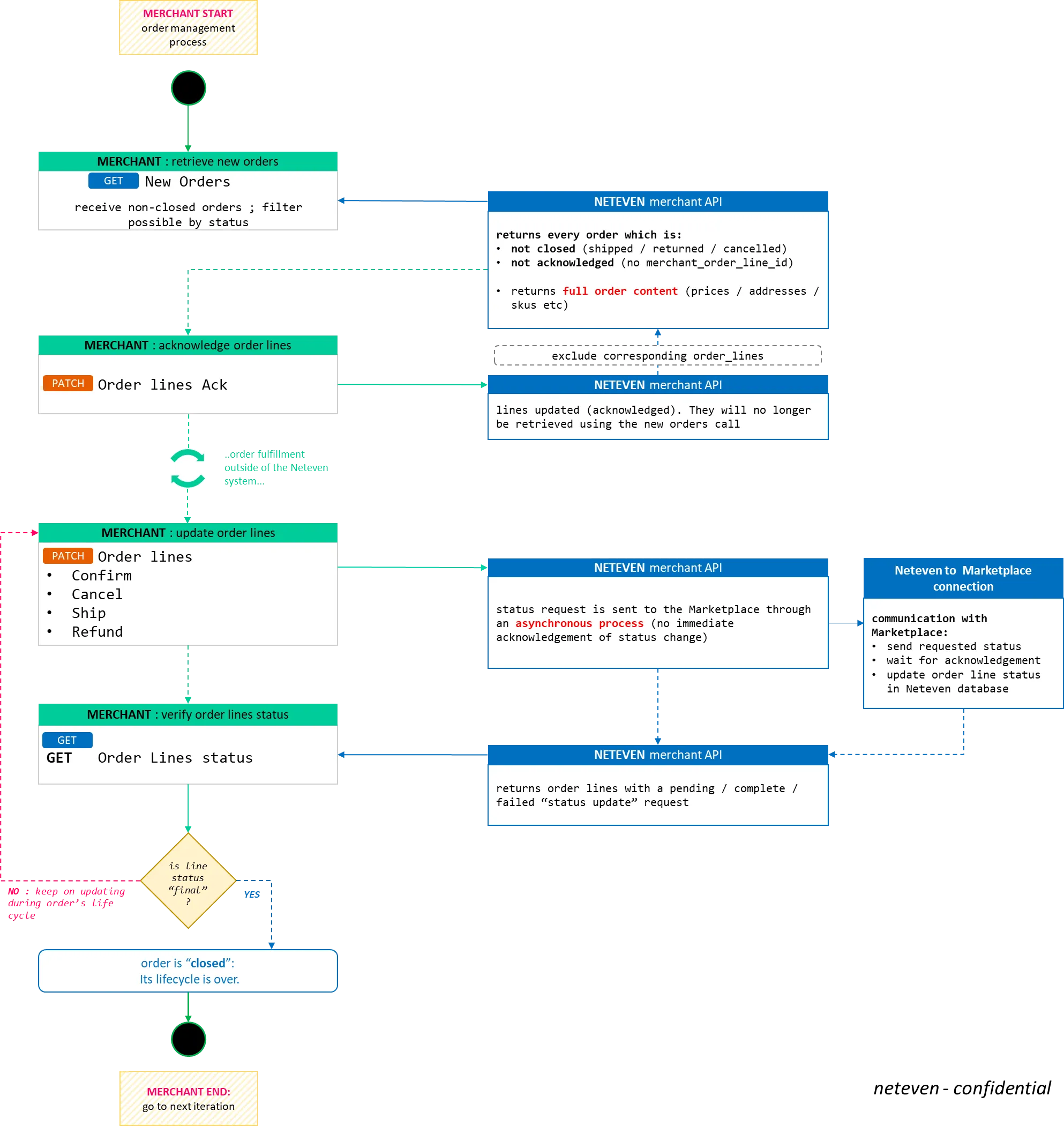
Orders are placed by customers on the marketplace sites your account is connected to via the Neteven platform and are made available for you to retrieve and fulfill through the logistic cycle. Therefore, the scope of order management is to be able to:
- Retrieve new orders and integrate their data set into your system:
- order identifiers
- shipping and invoicing addresses
- details about items ordered (SKU, quantity ordered, prices, etc)
- Trigger status change for their corresponding order line
- confirm or cancel order items based on fulfillment capabilities
- confirm shipment related information such as tracking number and URL
- issue refund for unfulfilled or returned orders
- Follow status request to ensure that status change was accepted by the marketplace
Marketplace to Marketplace specifics
Through the Merchant API, Neteven offers a standardized entry point for order data management on Marketplaces in general. However, there is a limit to how much standardization Neteven can achieve as Marketplaces all have their own unique internal structure and logic. In that sense, Neteven is still tributary of marketplace specific constraints.
The Neteven merchant API is conceived to offer a standardized "order" object, with its corresponding attributes. However, the actual data received from Marketplaces can change substantially depending on its source system: this includes marketplace order identifiers format, delivery addresses content and more importantly order line status life cycle.
In practice, this means that you should design your integration to the Neteven merchant API relying on the the standardized object structure, but allow for flexibility and customization with each new Marketplace you consider launching on.
In short
Please note that although the Merchant API is built with a standardized structure regardless of the channel your account is live on, there might still be Marketplace specific workflows and content within the order management process.
Order management flowchart
More information
see Retrieve returns